
Worlds
The worlds module is responsible for the management of the worlds on the server. It allows you to see all worlds on the server and to manage them.
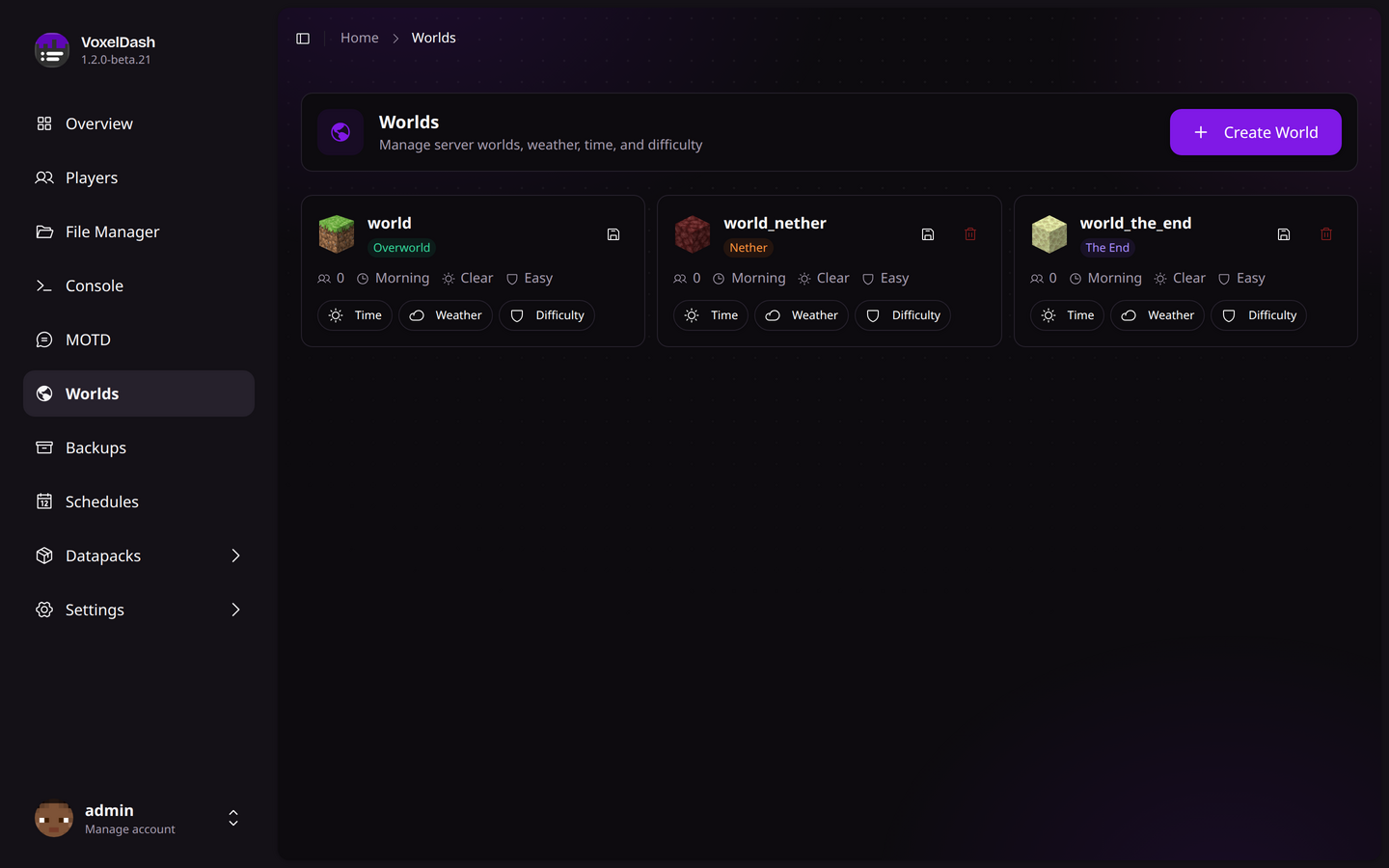
World Overview
The worlds module displays all loaded worlds on your server. For each world, you can view:
| Property | Description |
|---|---|
| Name | The world's folder name |
| Environment | Normal (Overworld), Nether, or The End |
| Player Count | Number of players currently in the world |
| Time | Current in-game time |
| Weather | Current weather condition |
| Difficulty | Peaceful, Easy, Normal, or Hard |
| Seed | The world generation seed |
| World Type | Normal, Flat, Large Biomes, Amplified, etc. |
| Hardcore | Whether the world is in hardcore mode |
Managing Worlds
Change Time
Set the time of day for any world:
- Day (1000 ticks)
- Noon (6000 ticks)
- Night (13000 ticks)
- Midnight (18000 ticks)
- Custom time value
Change Weather
Control the weather in each world:
- Clear: Sunny skies
- Rain: Rainy weather (snow in cold biomes)
- Thunder: Thunderstorm with lightning
Change Difficulty
Adjust the difficulty level:
- Peaceful: No hostile mobs, health regenerates quickly
- Easy: Hostile mobs deal less damage
- Normal: Standard difficulty
- Hard: Hostile mobs deal more damage, hunger can kill
World Operations
Save World
Force-save a world to disk. This is useful before performing maintenance or creating backups.
Teleport Players
Move all players from one world to another. This is helpful when you need to:
- Unload a world for maintenance
- Move players before deleting a world
- Migrate players to a new world
Create World
Create a new world with custom settings:
- World Name: The folder name for the world
- Environment: Overworld, Nether, or The End
- World Type: Normal, Flat, Large Biomes, etc.
- Seed (optional): A specific generation seed
Delete World
Deleting a world is permanent and cannot be undone. Make sure to create a backup before deleting any world.
To delete a world:
- First teleport all players to a different world
- Click the delete button
- Confirm the deletion