Backups
The backups module lets you create, restore, download, and delete server backups. Protect your server data with manual or scheduled backups.
Backup List
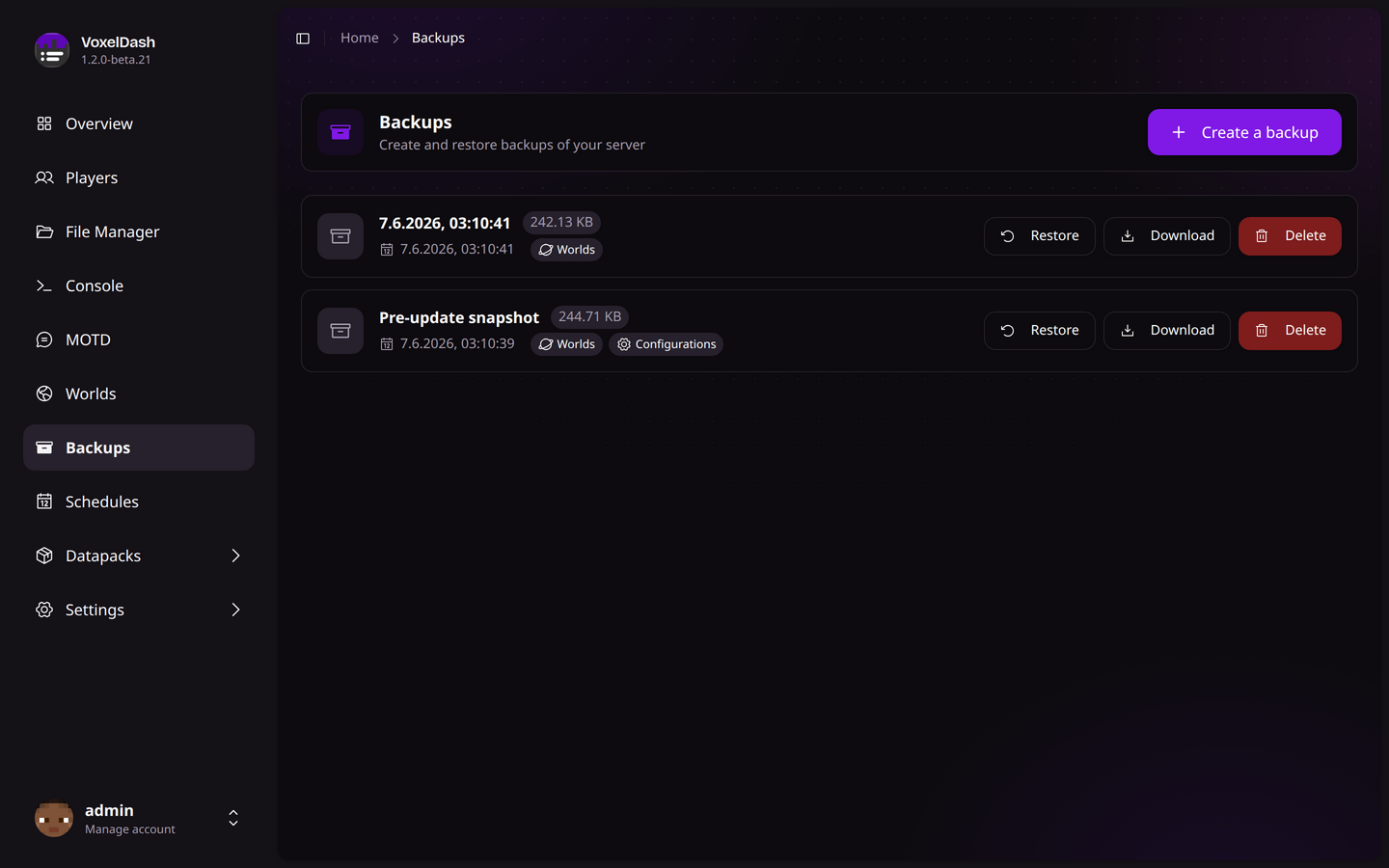
The backup list shows all available backups with the following information:
| Column | Description |
|---|---|
| Date | When the backup was created |
| Size | Total size of the backup file |
| Contents | Icons showing what's included in the backup |
The icons next to each backup indicate which parts of the server are included. Hover over the icons to see the specific content types.
Backup Contents
When creating a backup, you can choose which parts of your server to include:
| Content | Description |
|---|---|
| Worlds | All world folders (overworld, nether, end, custom worlds) |
| Plugins/Mods | The plugins or mods folder |
| Configs | Configuration files (server.properties, bukkit.yml, etc.) |
| Everything | Complete server directory backup |
Selecting specific content types creates smaller, faster backups. Use "Everything" for complete server snapshots.
Creating a Backup
To create a new backup:
- Click the Create Backup button
- Select what to include in the backup
- Click Create
The backup will be created in the background. Large servers may take several minutes to back up.
Restoring a Backup
Restoring a backup will overwrite existing files. Make sure you understand what will be replaced before proceeding.
To restore a backup:
- Find the backup you want to restore
- Click the Restore button
- Choose whether to stop the server after restoration
- Confirm the restoration
Restoration Options
- Halt after restore: Stops the server after restoring. Recommended for major restorations to avoid file conflicts.
- Continue running: Keeps the server running. Only use for minor config restorations.
Downloading Backups
Click the Download button on any backup to save it to your computer. This is useful for:
- Keeping off-site copies of important backups
- Migrating to a different server
- Archiving old server states
Deleting Backups
To free up disk space, you can delete old backups:
- Click the Delete button on the backup
- Confirm the deletion
Deleted backups cannot be recovered. Make sure you've downloaded any backups you want to keep before deleting them.
Automated Backups
You can schedule automatic backups using the Schedules module. This allows you to:
- Run daily backups at a specific time
- Create weekly full backups
- Automate backup rotation