MOTD
The MOTD module lets you design the message and icon shown next to your server in the multiplayer list.
The Editor
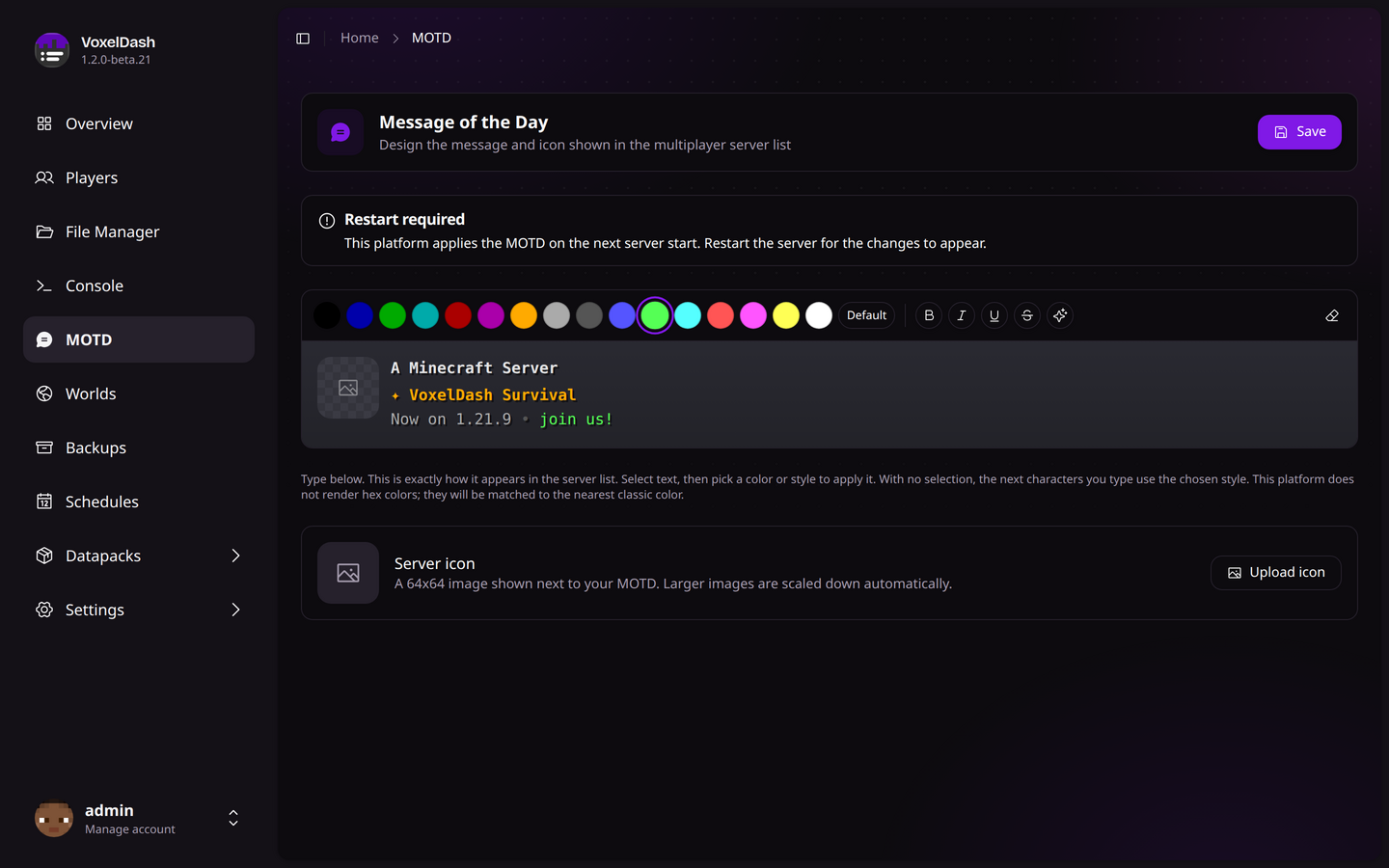
The MOTD (Message of the Day) is the text players see next to your server in their multiplayer list. The editor works like a small text field with a live preview on top, so what you see is what players get.
You get up to two lines. Type your text, then select part of it and pick a color or style to apply. If nothing is selected, the next characters you type will use whatever color and style you picked.
Colors & Styles
| Option | Description |
|---|---|
| Colors | The 16 classic Minecraft colors, plus custom hex colors |
| Bold | Makes the selected text bold |
| Italic | Makes the selected text italic |
| Underline | Underlines the selected text |
| Strikethrough | Strikes through the selected text |
| Obfuscated | Scrambles the text with the classic "magic" effect |
Use the Clear formatting button to strip all styling from a selection.
Not every server software renders hex colors. Where they aren't supported, VoxelDash matches your hex color to the nearest classic color so the MOTD still looks right.
Server Icon
The icon is the small image shown next to your MOTD. Click Upload icon and pick any image - it's scaled down to 64x64 automatically. You can swap it out any time, or use Remove icon to go back to the default.
Applying Changes
Click Save to apply your MOTD. On some platforms (Spigot and BungeeCord) the change is live right away. On others (Vanilla, Fabric, and Forge) it's written to the server and takes effect after the next restart - VoxelDash tells you when a restart is needed.