
Settings
The settings module allows you to configure your server and VoxelDash itself. Edit server.properties, manage users, and customize your dashboard.
Server Configuration
server.properties
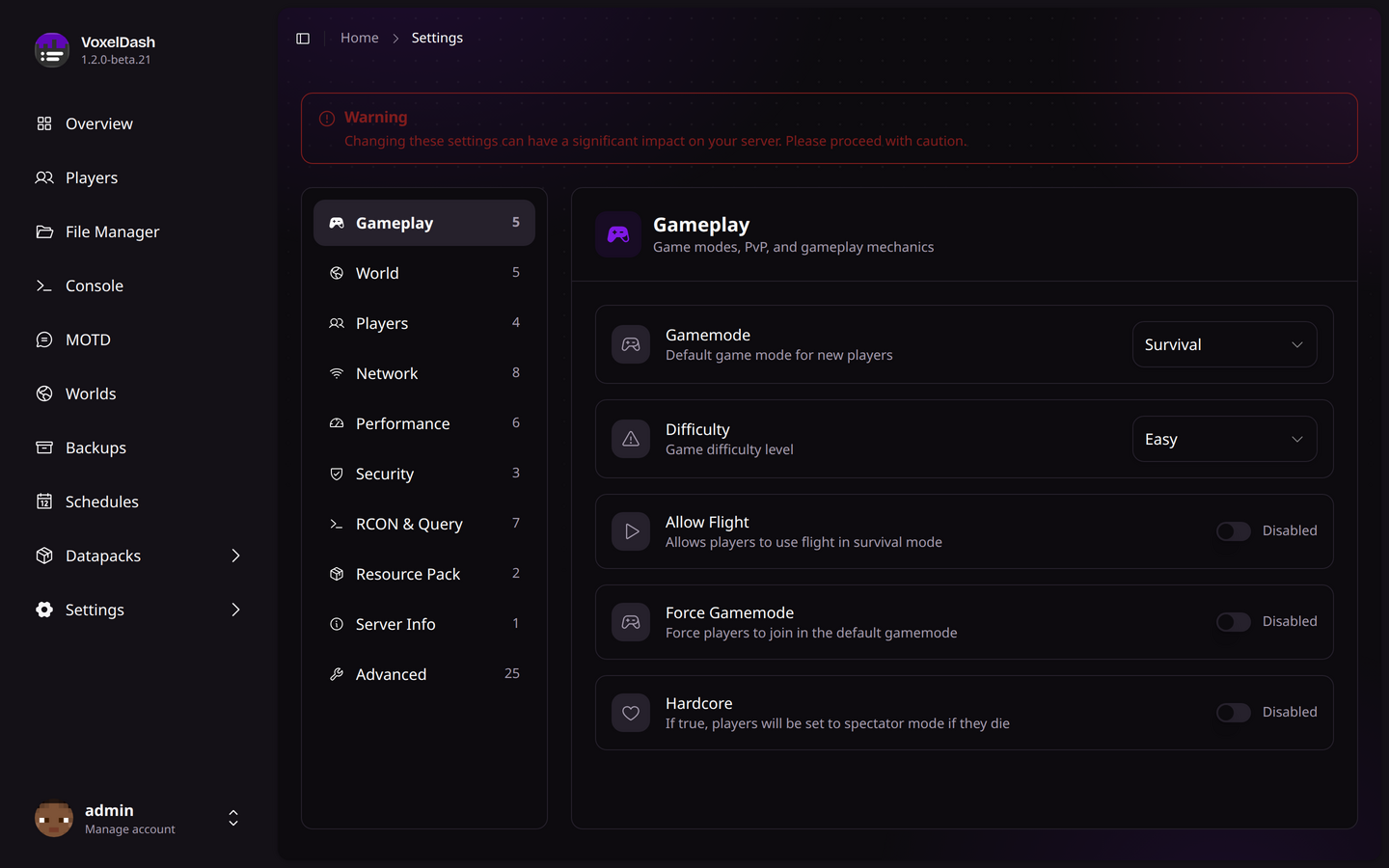
Instead of editing a raw text file, VoxelDash gives you a friendly editor for server.properties. Each setting has a readable name, a short description of what it does, and the right kind of input - a toggle for on/off settings, a dropdown for things like gamemode or difficulty, and number or text fields for everything else.
The settings are grouped into categories so you don't have to scroll through everything at once:
| Category | What's inside |
|---|---|
| Gameplay | Gamemode, difficulty, PvP, hardcore, and similar mechanics |
| World | World name, generation, view distance, and spawn settings |
| Players | Max players, whitelist, and player-related options |
| Network | Server port, online mode, and connection settings |
| Performance | Tick and entity options that affect server load |
| Security | Spawn protection and access-related settings |
| RCON & Query | Remote console and server query configuration |
| Resource Pack | The server resource pack URL and options |
| Server Info | The MOTD and other listing details |
| Advanced | Everything else, for fine-tuning |
Common Settings
| Property | Description |
|---|---|
server-port | The port the server listens on (default: 25565) |
max-players | Maximum number of simultaneous players |
online-mode | Whether to authenticate players with Mojang |
difficulty | Default difficulty for new worlds |
gamemode | Default gamemode for new players |
motd | Message of the Day shown in server list |
pvp | Whether players can damage each other |
spawn-protection | Radius around spawn where non-ops can't build |
Some settings require a server restart to take effect. VoxelDash will indicate when a restart is needed.
User Management
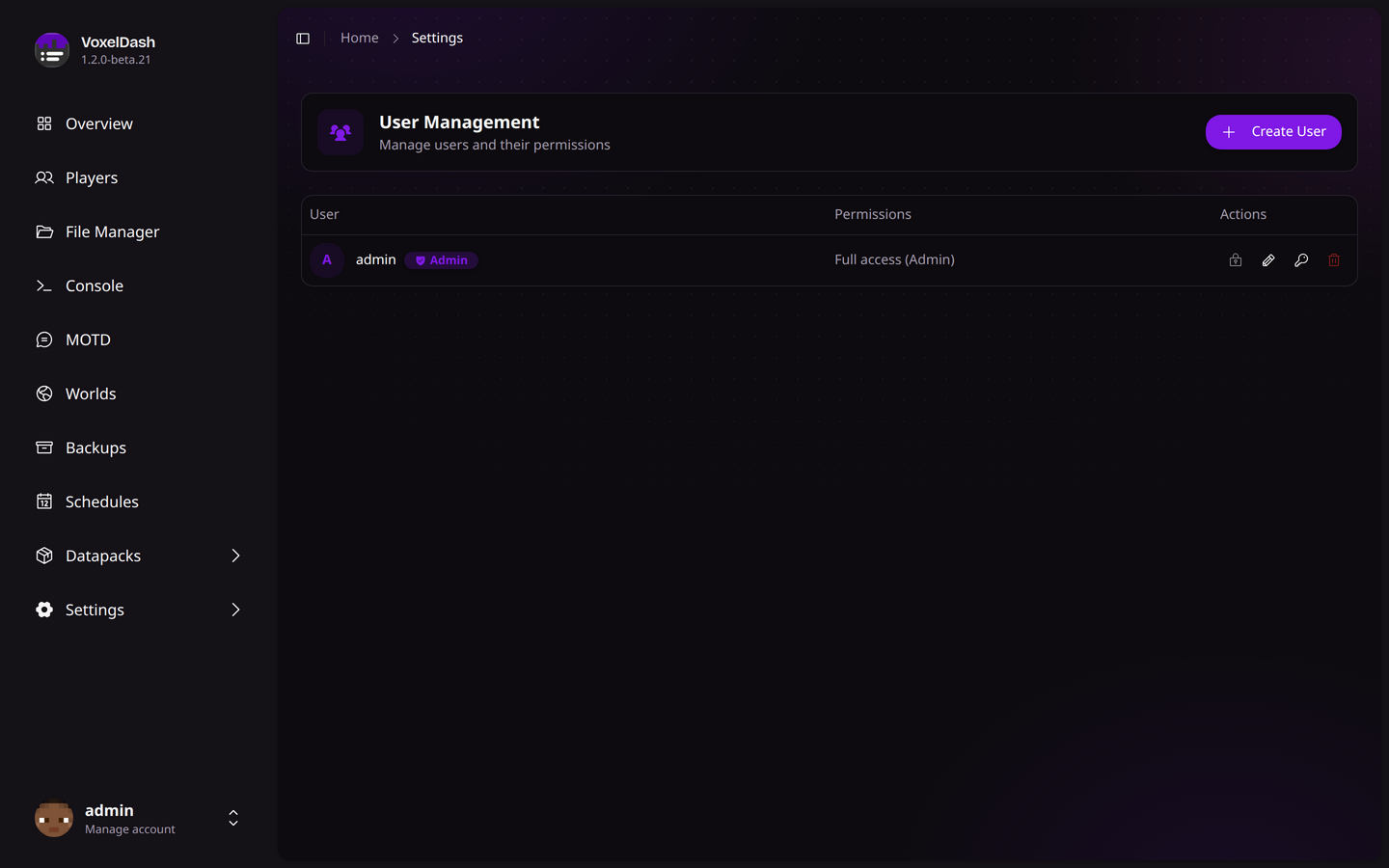
Manage VoxelDash user accounts and permissions:
Users
- Create User: Add new dashboard users
- Edit User: Change username or password
- Delete User: Remove user access
- Set Admin: Grant or revoke admin privileges
Permissions
Control what each user can access:
| Permission | Description |
|---|---|
| View | Can see the feature but not make changes |
| Full | Can view and make changes |
| None | Cannot access the feature |
You can set a level per feature - Players, Console, File Manager, MOTD, Worlds, Profiling, Plugins/Mods, Backups, Schedules, Server Settings, and Game Rules.
The first account created becomes the admin and always has full access to everything, no matter the individual permission settings.
SSH / SFTP Access
VoxelDash can expose your server over SSH and SFTP, so you can use any terminal or file client you like:
- Enable/Disable: Turn the SSH server on or off
- Port: Choose the port it listens on
- Authentication: Log in with your VoxelDash account credentials
Connecting over SSH drops you into the server console, while SFTP gives you the same files you see in the File Manager.
Security
Password Requirements
VoxelDash passwords should be:
- At least 8 characters long
- Contain a mix of letters and numbers
- Not be easily guessable
Session Management
- Sessions expire after inactivity
- You can view and revoke active sessions
- Each login creates a new session token